
Flurra is live on Product Hunt
On November 26, 2026, we launched Flurra on Product Hunt with one idea at the center: you shouldn't need a timeline to edit a video. Connect Flurra to Claude or ChatGPT, say what you want, and your assistant makes the edit in your real Flurra project.
Product Hunt's daily newsletter, The Leaderboard, writes about three new products each weekday. On launch day, Flurra was one of the three. It described Flurra as “a video editor you can drive by asking Claude or ChatGPT.”
The launch page has the gallery, a short launch film, and a comment thread where we're answering questions. The creator who appears in the film is AI-generated.
Editing is the part of posting people put off
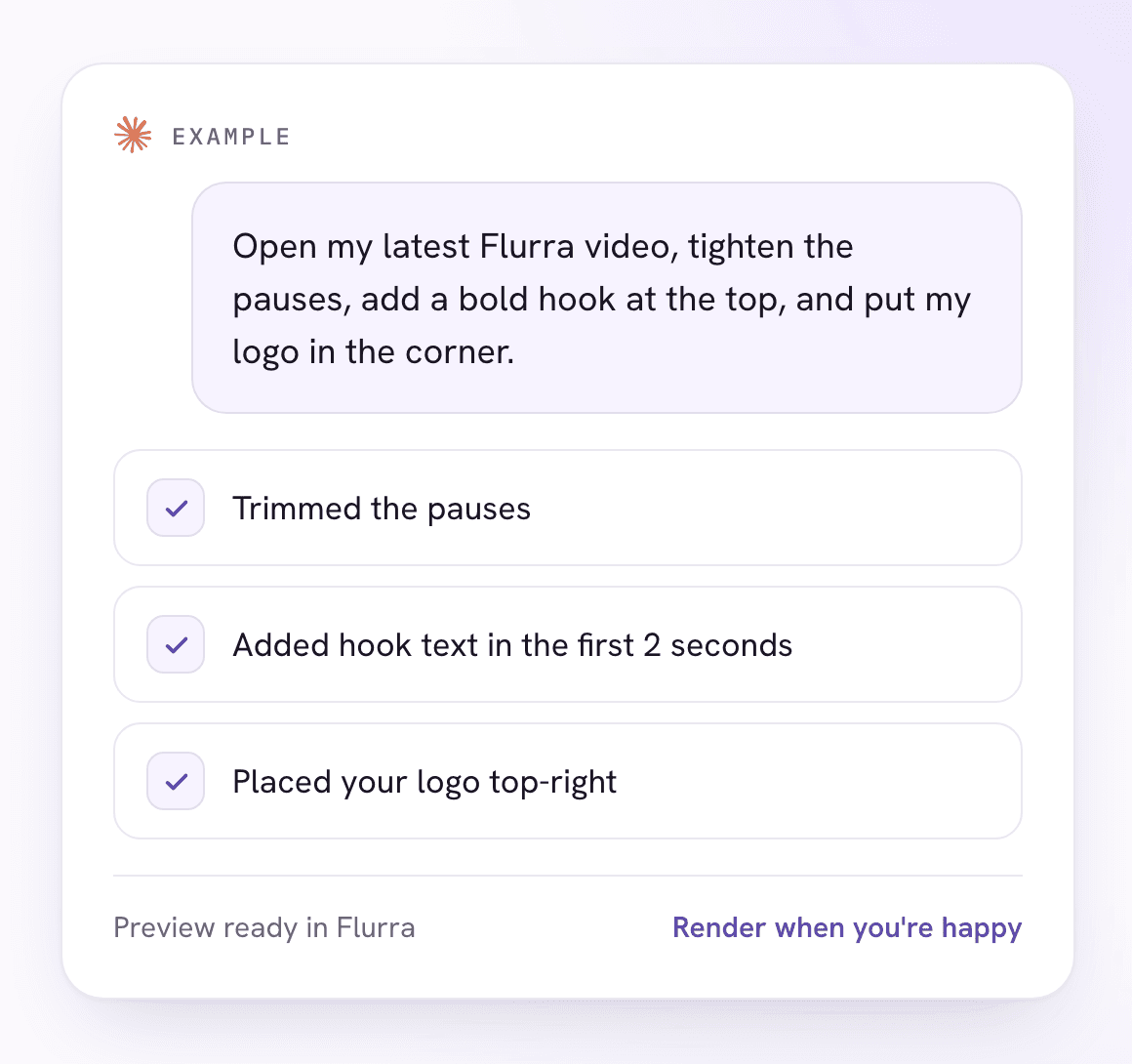
Most creators know the edit they want before they open an editor: cut the pauses, put the hook up top, logo in the corner. Saying it takes five seconds. Doing it can take an hour of dragging clips around.
So we made Flurra something an AI assistant can drive. You describe the edit in plain words and the assistant works in your Flurra project. Nothing is final until you've previewed it in Flurra and decided to keep it.
What you can ask for
Your assistant edits through Flurra, so it needs no extra software. These are the edits it can make today.
- Trim and tighten: cut the dead air and the long pauses.
- Text and captions: add hook text, choose how many words each caption shows, and change the caption style.
- Your brand: place logos and images from your Flurra brand folders.
- A new background: cut yourself out of the footage and put yourself over a new backdrop or one of your own images.
- A reference style: upload a video you love and ask for its captions, on-screen accents, or sound effects. The result follows the reference's style; it isn't an exact copy.
- The finished cut: when the edit looks right, ask for the 1080p render.
It knows your scripts, ideas, and plans too
The same connection gives your assistant your saved creator voice, your drafts, your Idea Bank, and your content plans. Ask it to write a 60-second TikTok script in your voice and save it as a draft, find saved hooks for your next post, or show what you planned for the next two weeks.
Saving a script needs Script Studio on your plan. The connector never publishes a post for you and never overwrites a draft you already have.
How to connect
Connecting is free, and there is no API key to copy. Start at flurra.io/connectors.
- Add Flurra to your assistant. For Claude, select Connect to Claude and add Flurra from its directory listing. For ChatGPT, Grok, or another assistant that supports remote MCP connections, copy the Flurra MCP URL and paste it into the assistant's connection setup.
- Sign in to Flurra and approve access. Read access lets the assistant see your projects and saved work. Write access lets it edit, save, and render.
- Describe the edit. Preview the changes in Flurra, then ask for the render when you're happy with them.
What it costs
Connecting doesn't change your billing. Edits your assistant makes directly on the timeline, such as trims, text, captions, and logos, use no Flurra AI credits and can be undone. Each render is saved as a new version, so earlier versions stay available.
Flurra's AI features keep their usual allowances. Matching a reference video's style, for example, uses 1 Flurra AI edit for the first cut and includes 2 revisions. Your assistant's own account limits are separate. Flurra has a free plan, and paid plans start with a trial.
What people asked for on launch day
We ended our launch note with a question: what's the edit you'd most like to say out loud instead of doing by hand? The first answers were specific: cutting to the beat of a music track, tightening a video down to 60 seconds, and keeping captions clear of the buttons TikTok and Reels place over a vertical video.
We're reading every answer, and they're shaping what we work on next. If you have one, add it to the thread.